
Wherever your patient collapses,
your prescription goes with them.
The prescription you wrote, still speaking when your patient can't.
Even when a patient is taken to an emergency room in another city, the medication list and diabetes emergency information your clinic wrote are read from the patch. One minute at the front desk, and it goes wherever the patient goes.

For local practices and clinics caring for patients with diabetes, high blood pressure, heart or kidney conditions who are seen in more than one place.
Your prescription stays in the clinic. Your patient doesn't.
- Patients with chronic conditions see several providers, and medications overlap or go missing.
- When a patient collapses elsewhere, the emergency room starts treatment without knowing what your clinic prescribed.
- A patient who has just collapsed cannot tell anyone their insulin dose or what they take.
- A dose change goes home on a paper note that gets lost, and blood pressure and sugar are reported from memory, not from a record.
Mr Park, from your front desk to an emergency room in another city
- Tue 15:20
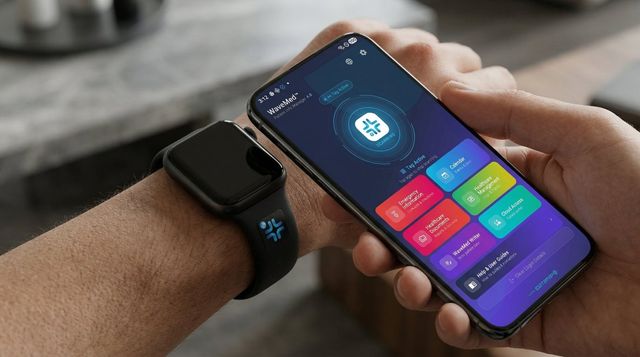
After Mr Park's diabetes appointment, the receptionist enters his current medication, insulin dose, diabetes emergency information, his daughter's number and the clinic's number in WaveMed, then writes the patch. Mr Park notes down the four-digit PIN that appears and fixes the patch to his watch strap. One minute.
- Day 60 · 10:05
On a business trip, Mr Park's blood sugar drops in the middle of a meeting. He collapses and cannot say what he takes.
- 10:12
Paramedics hold a phone running 𝒱WaveMed to his watch strap for one second: insulin dose, diabetes emergency information and emergency contact appear.
- 10:40
At the local emergency room, staff read the same patch, see his current medication and your clinic's number, and carry on with his care. They call his daughter on the emergency contact shown.
- Next visit
Mr Park comes back with the emergency room papers and photographs them into WaveMed. After the consultation the patch is read in the consulting room, he enters his PIN, and the new insulin dose is saved to it.
The medication list your clinic wrote, worn by the patient.
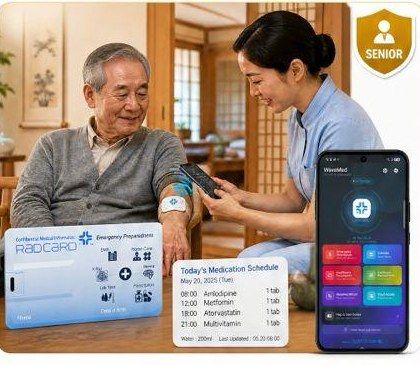
- One minute at the desk: reception writes medication and doses, allergies, diabetes emergency information and emergency contacts to the patch with the WaveMed app, or with the Desktop Writer and reader on a PC.
- One second, anywhere: the patch needs no battery, internet or login. WaveMed on a recent smartphone, or 𝒱WaveMed used by paramedics, emergency responders and fire crews, shows it in the reader's own language (27 languages).
- Current when the prescription changes: read the patch in the consulting room, enter the patient's four-digit PIN and update. The data is encrypted inside the patch, not on a hospital server, and readers can only read.
- Between visits: the free WaveMed app keeps a medication schedule with Completed marks and reminders, a 30-day blood pressure trend, and a 30-day blood sugar trend shown in mg/dL and mmol/L together.
- Paper in one place: prescriptions go into each person's folder by camera, and check-up results into one folder a year. Blood sugar, blood pressure and medication records join one dated timeline on the Full Healthcare Dashboard, ready to export as a PDF.
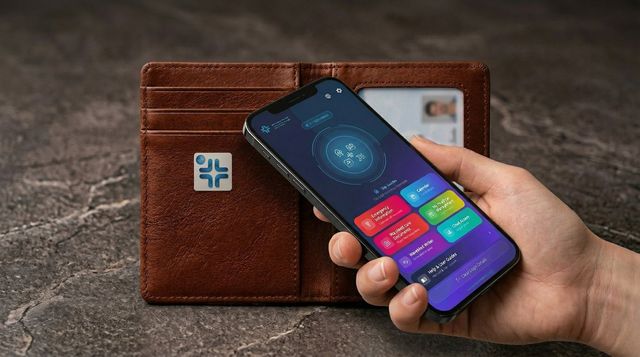
Where your patients wear it: watch strap, wallet, shirt

Every day between visits, patients keep their own record
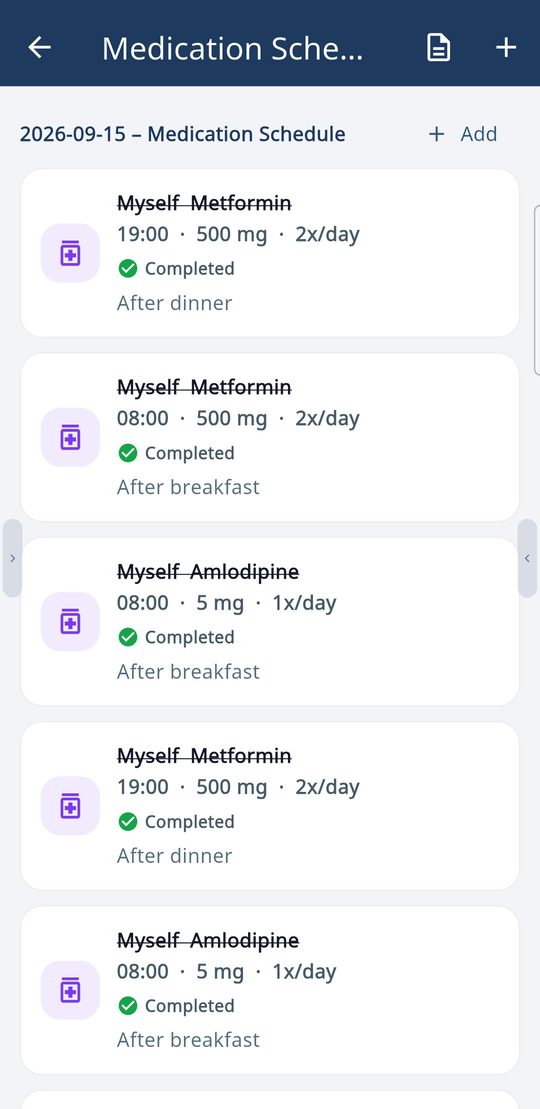
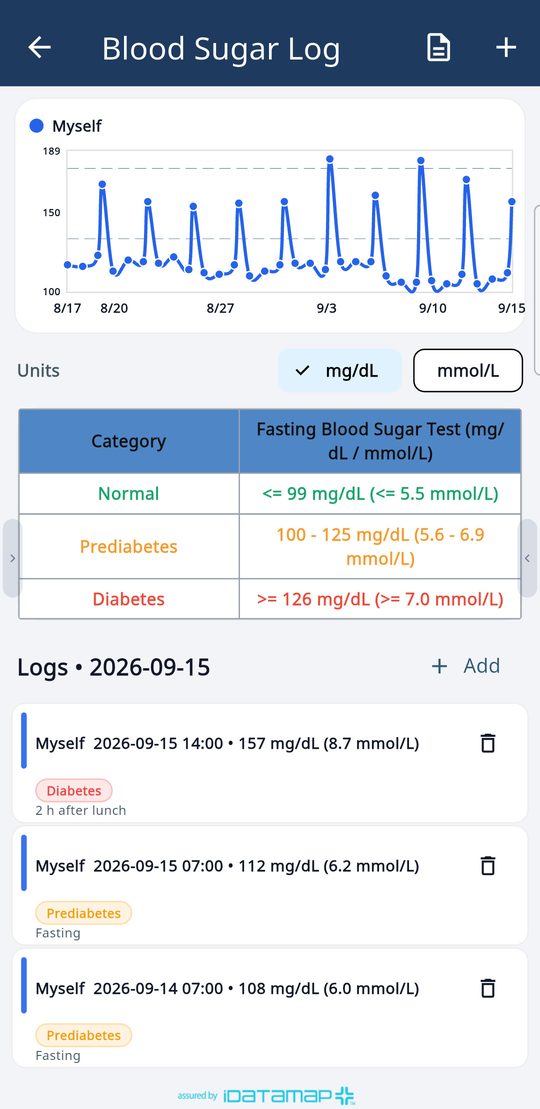
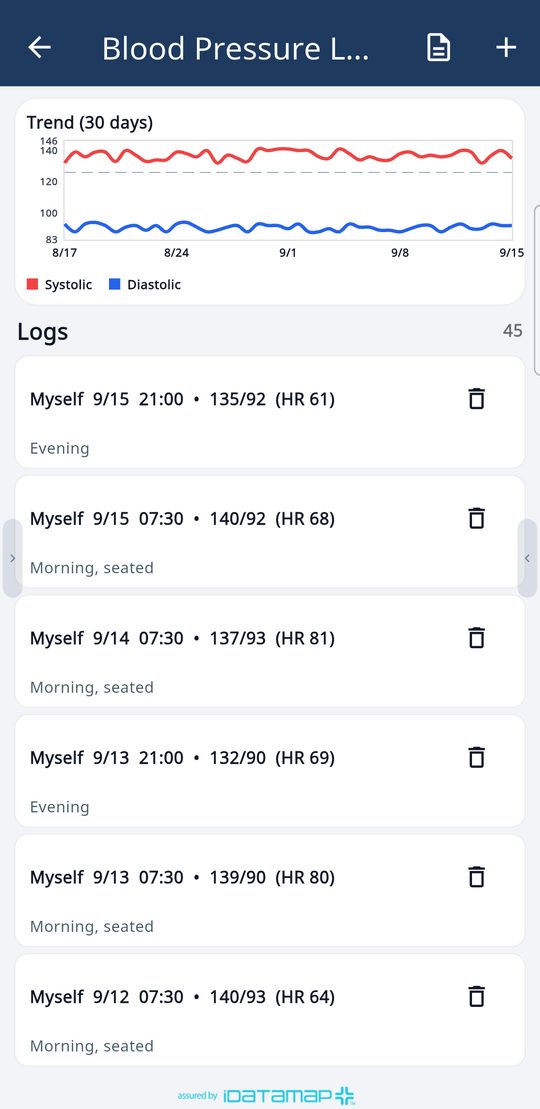
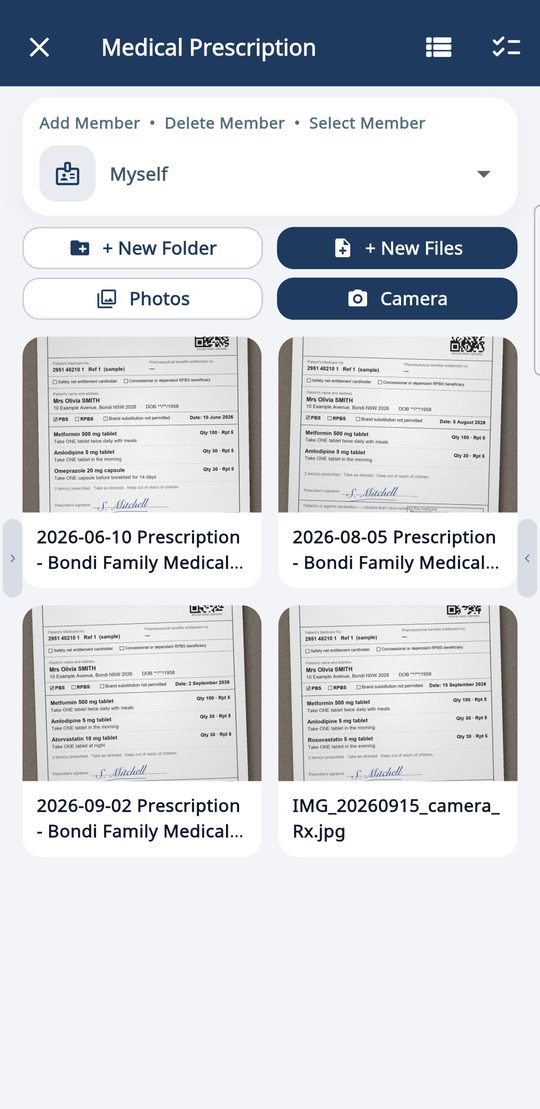

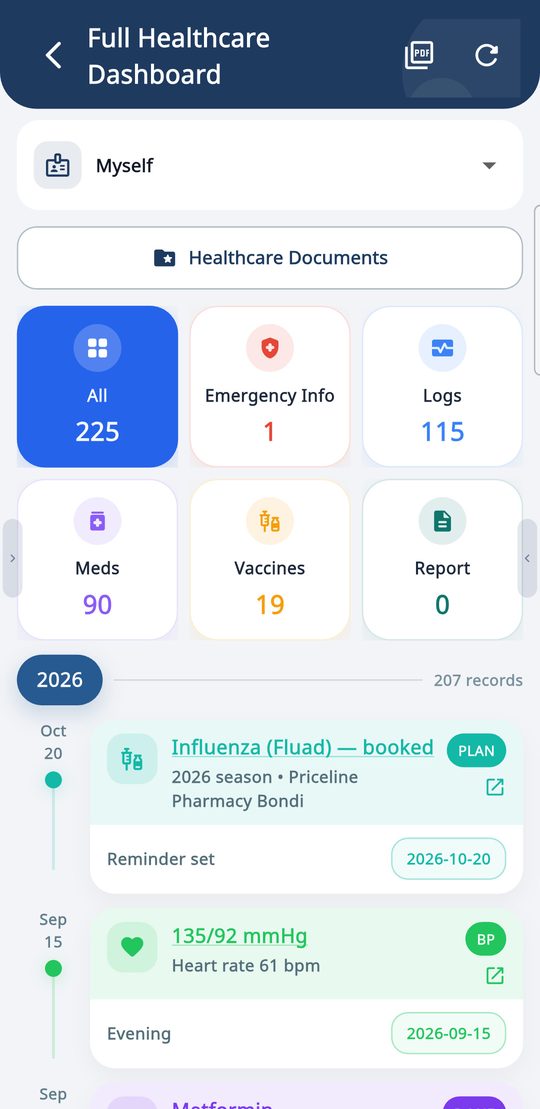
Real WaveMed app screens (demo data).
Where it is read


How to roll it out
- We send sample patches and the Desktop Writer (Windows/Mac, reader included).
- Thirty minutes of training for reception staff; we build the front-desk flow together.
- Path B: the clinic registers its chronic-condition patients in list order with WaveMed Desktop and a reader. One minute per patient; families together, with carer contacts.
- Path A: patients use the free WaveMed app (no account) for daily logs and update their patch with their PIN. Patches and information cards carry your clinic's name.
Frequently asked questions
Do we need to connect it to our clinic system?
No. Start with the app alone. If you wish, HL7/FHIR integration with your clinic system is available.
Does the patient's whole chart go on the patch?
No. Only what is chosen to show in an emergency: blood type, allergies, current medication and doses, diabetes emergency information and emergency contacts. The patient chooses what goes in.
What happens when the prescription changes?
Read the patch in the consulting room, enter the patient's PIN, update and save again. Changing or erasing needs the PIN, and apps other than the WaveMed family cannot open it.
Get the apps
Ask for sample patches and the Desktop Writer, and let's build your front-desk flow together.